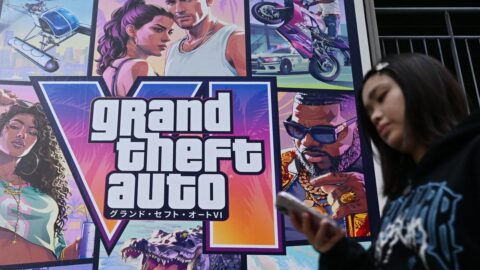
Freeing up PS5 storage for GTA 6, Digi Mart USA News: To download GTA 6 you need 210GB of free storage on your PlayStation 5, which means you will have to clean up your console considerably.
GTA 6 arrives on the PlayStation 5 in two weeks. Players who already purchased the game through the PlayStation Store can pre-load it from November 12, so they can jump into the world of Leonida at midnight on November 19.
Pre-downloading is a sensible idea, especially now that it is known the game is a massive download at 210GB. Depending on your download speed, the download may take a while, so you will need enough available space on your PlayStation 5 beforehand.
Below is the most efficient way to create room on your console.
The most obvious option is to delete all of your games. Is that the smartest move?
Not necessarily, because efficiently freeing PS5 storage involves a bit more than that. The steps below outline ways to make room for GTA 6.
Before you delete games and other items from your PS5 without thinking, it is worth checking what is taking up the most storage. On your PS5, go to Settings, then Storage, then Console Storage.
You will see a bar divided into categories, along with a full list of installed titles that you can sort by size. Sort by size and look at the top of the list first.
A few large games you have not touched in months usually take up the most memory, and removing them can free space quickly.
While you are at it, also check “Saved Data.” Save files are very small compared with full game installations, so there is rarely a reason to delete them, and they are data you definitely do not want to lose. Avoid deleting them unless you truly have no alternative or are certain you want to lose your progress.
Deleting games from your PlayStation 5 can feel difficult, especially when you do not really have a choice. To help decide which games should make room for GTA 6, consider deleting completed single-player games, seasonal games, or live-service games you no longer play, as well as anything you could reinstall in an evening.
If you have removed many treasured games and still do not have enough space, your PS5 may be filled with other apps or items that take up storage. Check whether you can remove streaming services such as Netflix and Disney+.
Gamers also often forget that screenshot galleries and saved gameplay clips can take up a lot of space.
Remove unnecessary apps, saved video clips, and save files from games you no longer plan to play. This is the fastest way to free up the 210GB of storage needed when GTA 6 becomes available for download.